
Your designs. In view.
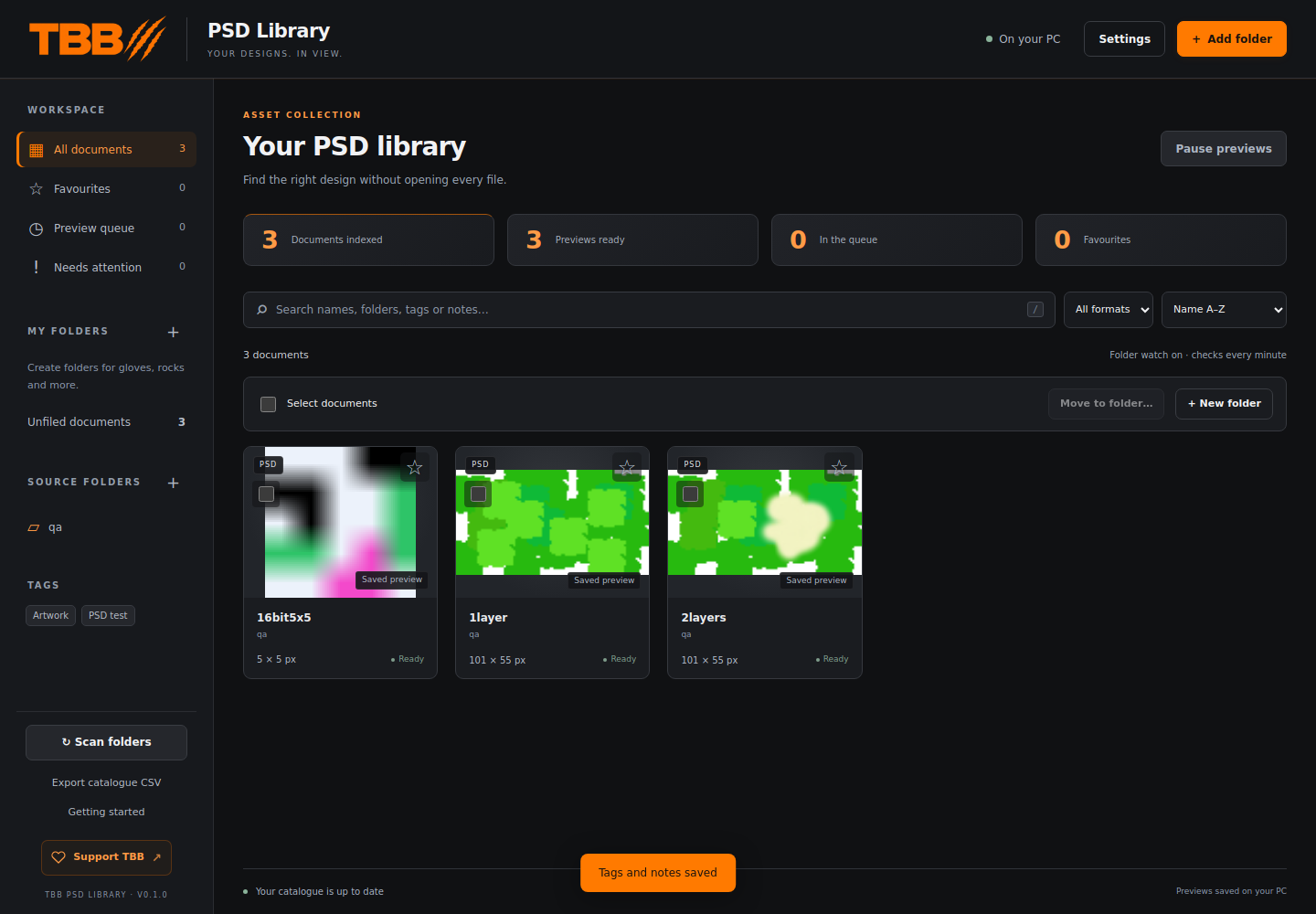
I’m building TBB PSD Library to help you find the right design without opening every Photoshop document. It brings the visual browsing approach of my 3D Model Library to PSD and PSB files, in the same orange-and-charcoal TBB workspace. Add your document folders, including subfolders, and browse saved previews in one local catalogue. Search names, folders, tags and notes; filter PSD or PSB files; keep favourites; and organise cards into virtual library folders. Your source documents stay in place. Photoshop, Blender and a separate Python installation are not required for previews. Open a document in your preferred editor when you want to make changes. This is a document browser and organiser; it does not edit or recompose layers. The first test build is v0.1.0. Preview decoding, catalogue features and the browser interface have passed initial tests. The native Windows window, installer and editor integration still need Windows testing before a public release. The screenshot shows the actual test-build interface with small test documents; those documents are not included. Public download coming soon. No automatic app-update feed is configured in this first build.
Taking shape
- PSD and PSB folder scanning, including subfolders
- Saved document previews without Photoshop or Blender
- Search by document name, folder, tag or note
- Favourites, tags and notes stored locally
- Virtual library folders that leave source documents in place
- PSD/PSB filtering, sorting and a preview queue with pause control
- Open in your preferred editor and export the catalogue to CSV
Local first. Yours to use.
The apps are designed around local features. Optional update checks are planned separately from the main workspace.
Online downloads and services still need an internet connection.
Release notes
The first release is on its way.
Downloads, a confirmed version and release notes will appear here when the app is ready.