
TBB Backup: Normal folders, ZIP or space-saving?
Choose the right method and understand version retention, storage folders and backup verification.
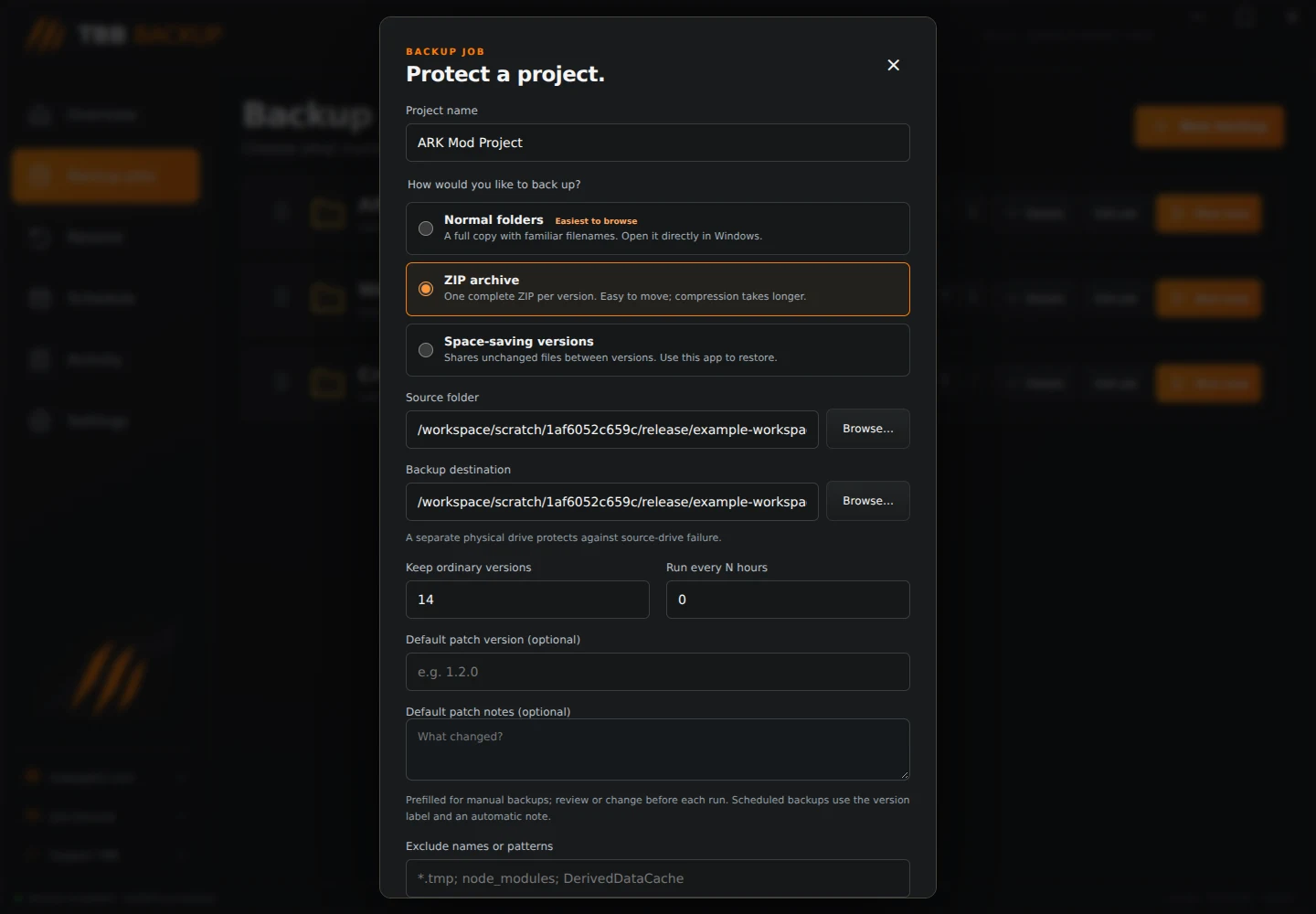
All three methods copy your files and preserve a version index. They do not move your original project. Every successful backup is verified, and app restores verify recovered file contents again.
Normal folders Each run saves a complete folder copy with ordinary filenames. You can browse it directly in Windows. This is the easiest method to understand and inspect, but each new version stores the whole project again.
Find its copies inside your destination's TBB-Backups folder, in the job's copies subfolder. Each dated version has its own folder. Keep the associated snapshots folder for version browsing in TBB Backup.
ZIP archive Each run saves one complete ZIP archive. It is useful for keeping a version together or moving an archive elsewhere. ZIP uses compression, but already compressed game assets may shrink very little.
ZIP is a full backup each time, not an incremental archive. Two successful runs create two ZIPs, even when no source files changed. The files are inside TBB-Backups, your job folder, then archives.
You can open a ZIP using Windows. Keep the accompanying snapshots indexes so the app can list and restore that version too.
Step illustration
Space-saving versions The app fingerprints each file with SHA-256. Contents already stored can be reused across versions. New or changed contents are stored separately, with a version index recording their original names and paths.
This can save substantial space when keeping many versions of a mostly unchanged project. A changed file is stored as a complete new file content; this is not block-level deduplication.
The objects folder may contain up to 256 groups named 00 to ff. These groups are expected internal storage, not hundreds of duplicate backups. Use TBB Backup to reconstruct normal files. Keep objects and snapshots together; do not rename or delete internal files.
Step illustration
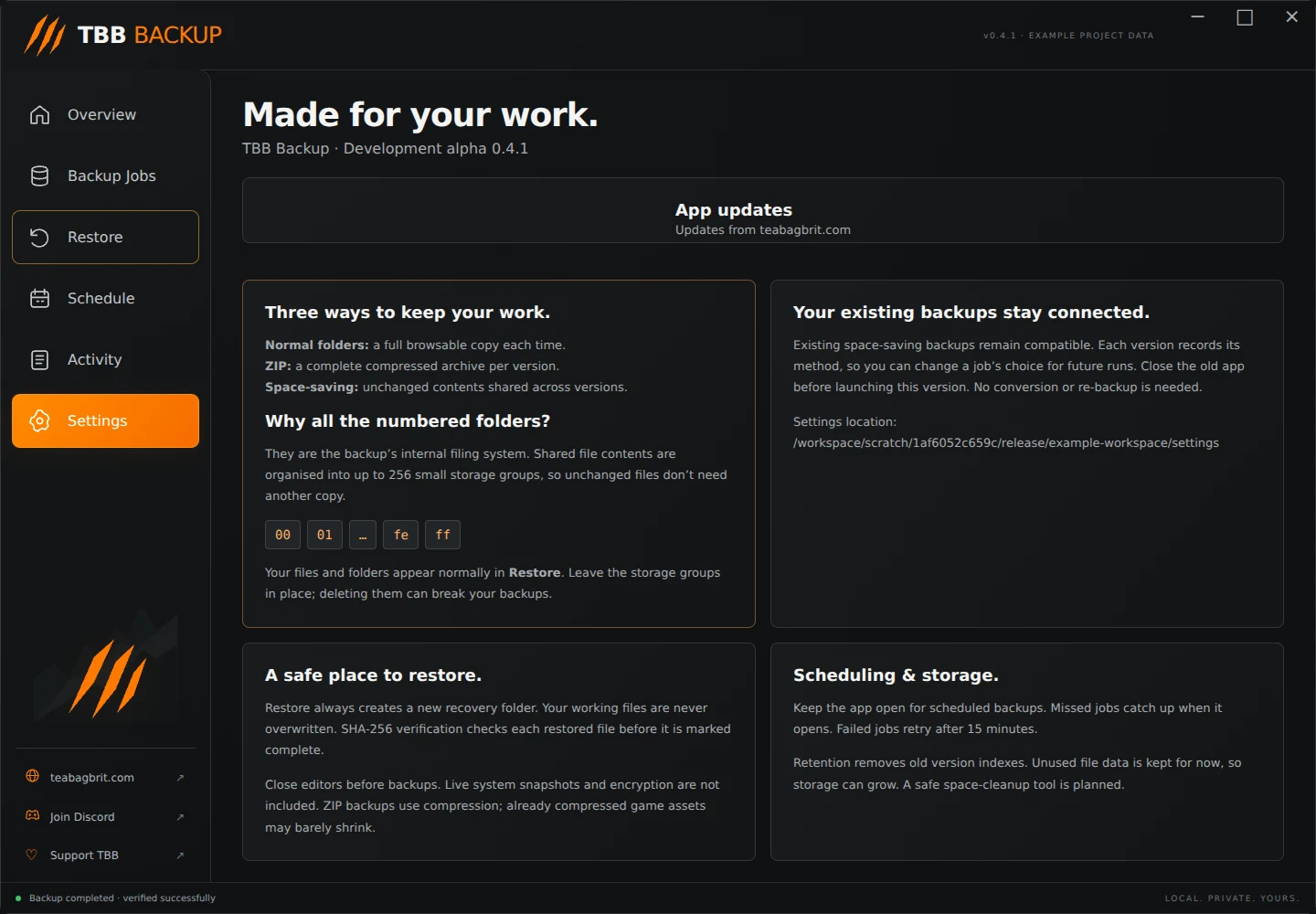
Can I change methods? Yes. Edit a job and change its method for future runs. Existing versions keep their recorded method and remain accessible. The app does not convert old backups.
What does Keep ordinary versions actually remove? It limits the unpinned version indexes shown in Restore. Pinned milestones stay in addition to this limit.
In 0.4.1, retention removes old indexes but does not reclaim their stored data. Old ZIP archives, normal copies and unused shared contents may remain on disk. Do not assume lowering the version count will free space. Automatic safe data cleanup is planned.
Which should I choose? Start with Normal folders if you want a familiar copy you can inspect. Choose ZIP if you want one archive per version. Choose Space-saving versions if you keep lots of versions with mostly unchanged files.
Use a separate physical destination where possible and keep enough free space for another backup. TBB Backup is a file backup tool; system-image recovery, encryption, live database snapshots and full Windows permission preservation are not included.