
TBB Backup: schedules, job order and troubleshooting
Organise job cards, set schedules, check updates and solve common backup problems.
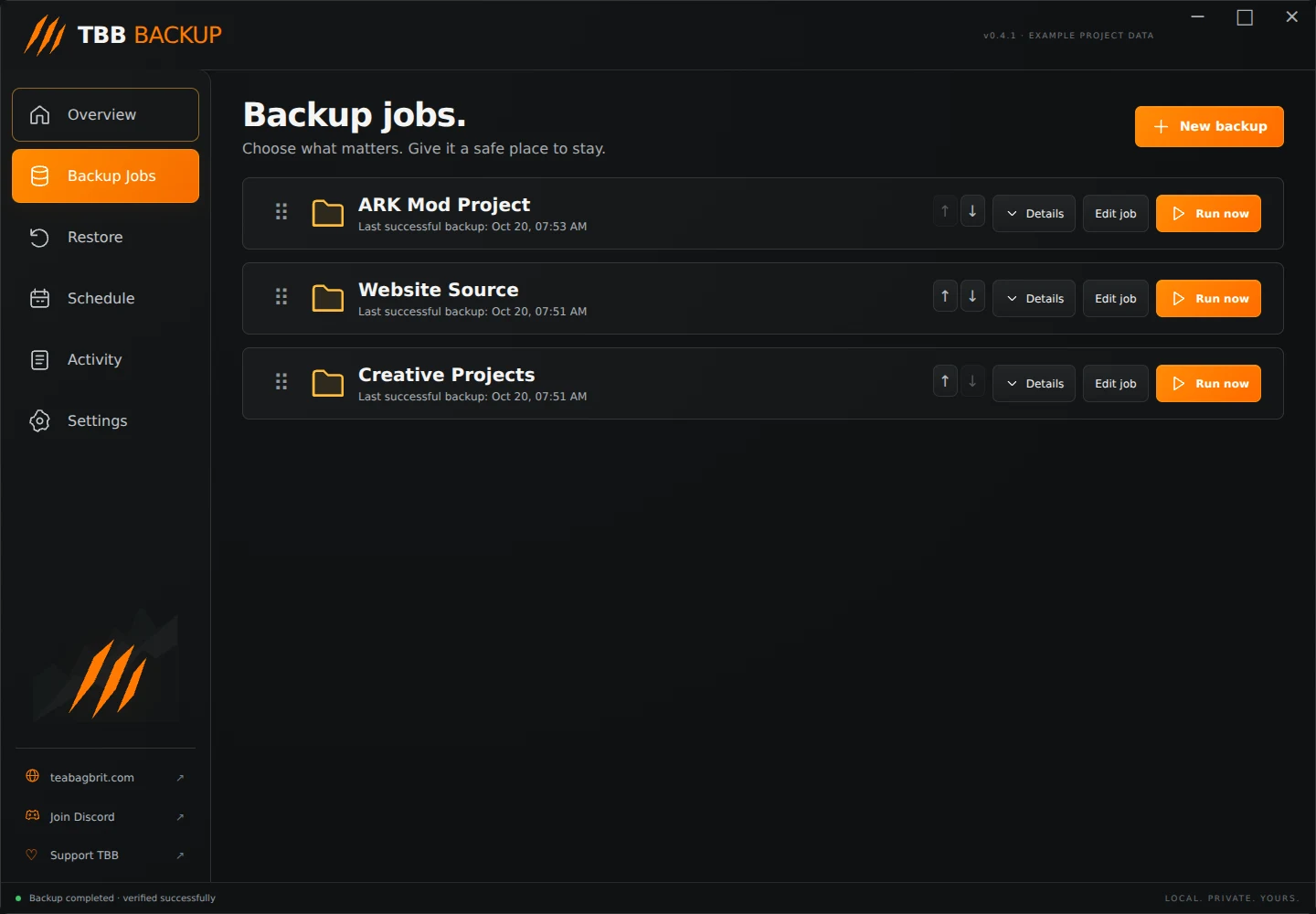
Keep jobs organised Backup Jobs opens with compact cards. Click Details to expand a card's source, destination, method, schedule and exclusions. Click Details again to collapse it.
Drag the grip at the left of a card to change its position. The orange line shows where it will land. Drop above or below another card. The small up/down buttons provide precise one-step moves. The app saves the job order and expanded state.
Step illustration
Edit job changes its name, method, schedule, retention, exclusions and default patch text. Source and destination stay fixed. Remove job removes the profile from the app; it leaves the stored backups on disk, and the app stops listing that job's history.
Set a schedule In Edit job, set Run every N hours. Use 0 for manual backups, 1 for hourly or 24 for daily. Keep the app open and the destination connected.
Scheduled backups do not run after closing TBB Backup. Missed jobs catch up after it opens. A failed scheduled job waits about 15 minutes before retrying automatically. Scheduled runs use the job's patch version label and an automatic Scheduled backup note.
This build does not install a Windows background backup service.
Read Activity Activity records completed backups, restores and failures. A last-success time describes the last successful backup, not every attempt. If something fails, read the error before changing the job.
Save and close project editors before backing up. Files that change during capture, access errors or a disconnected destination can fail a run.
Only one version appears Check Keep ordinary versions. A setting of 1 intentionally keeps only the newest ordinary version index. Increase it for future runs. Raising the setting cannot recover indexes already removed.
Also check that you selected the right project and that both runs completed successfully. Reopen Restore to refresh the view if needed.
The destination is unavailable Reconnect the drive and confirm Windows gives it the expected location. Do not create a replacement job pointing at the source. Keep backup and source folders separate.
Storage keeps growing Retention currently removes old version indexes, not unused backup data. Lowering the version count does not reclaim space. Automatic safe cleanup is planned. Avoid deleting shared objects or snapshots by hand.
Exclude an unwanted folder or resolve System Volume Information errors Open Edit job and add the unwanted folder’s exact name to Exclude names or patterns. Separate multiple entries with semicolons. Matching folder names and their contents are skipped. Keep existing exclusion entries.
For example, enter ArkGame only if you intend to exclude that entire folder. To back up just one project, choose that project folder as the source rather than an entire drive.
Version 0.4.2 automatically excludes System Volume Information and $RECYCLE.BIN. Earlier versions can use those two exact names as manual exclusions. These folders may be hidden in Windows Explorer. You do not need to take ownership or change their permissions. Other unreadable project folders still report errors.
An operation failed Keep the error message. Check source access, destination connection and free space. Do not delete internal backup files to clear an error. If an error mentions a repository lock after a crash, ask for help before removing any lock; another operation may still be running.
Step illustration
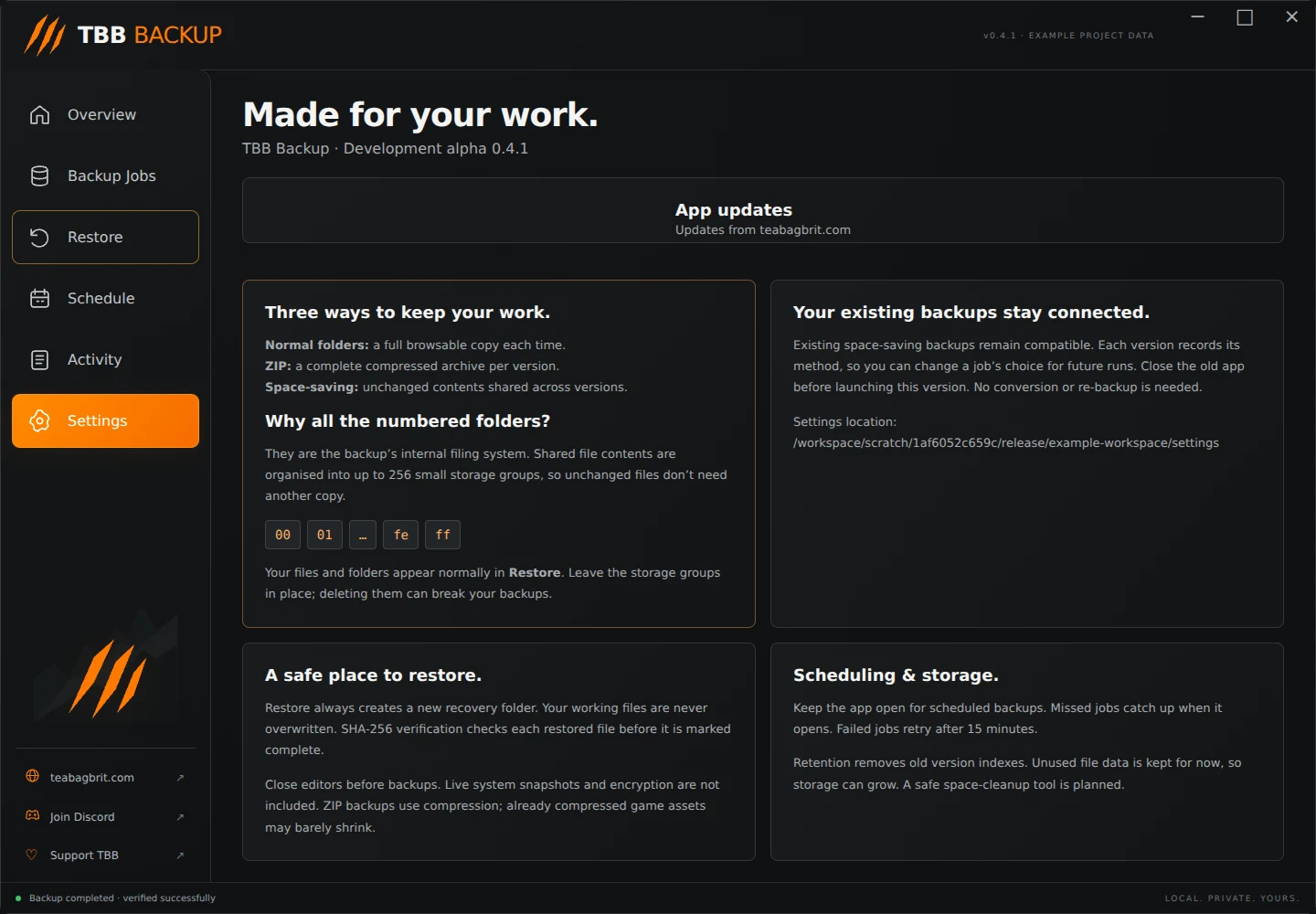
Check for updates Open Settings and choose Check for updates. TBB Backup also checks the teabagbrit.com release feed on startup. View releases opens the app's website page.
This version checks and links to releases; it does not silently replace itself. Close the app before running a newer installer. Your settings and repositories remain separate from the installed program.
Install or startup problems The web installer needs internet for its first private-runtime setup. Retry Setup after a connection failure. Microsoft Edge WebView2 Runtime and the Windows .NET Framework are required.
If the launcher reports a startup log, read the path in its message and include the relevant error in a support request. Do not share unrelated personal paths or project contents.
Use Join Discord in the sidebar or [report a bug](/known-issues#report). Include the app version, backup method, what you clicked and the exact error.